Call Blocker: Block Spam Calls34.0
Publisher Description

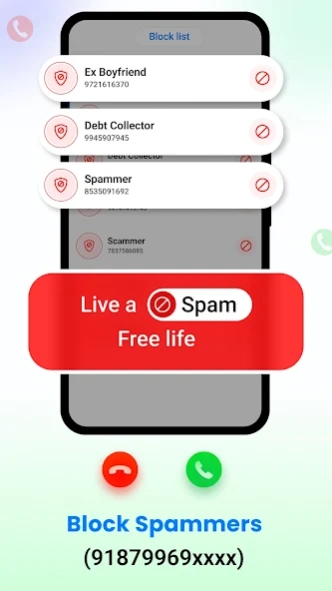
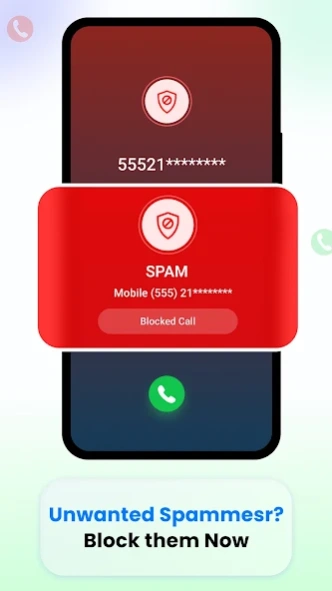
Block Spam Callers & unwanted calls using the latest call blocker app.
Call Blocker: Block Spam Calls is a powerful call blocker and spam call blocker app designed to block spam callers, detect spam calls, and block unwanted numbers in real time. If you are looking for a reliable call blocker app, spam call detector, or call blocking app, Smart Call Blocker App - Anti Spam gives you complete control over your phone calls.
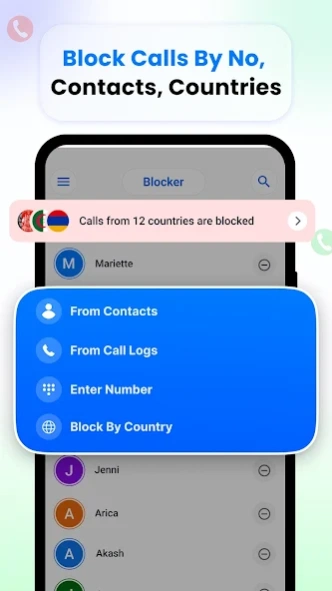
Block Calls from different countries: Block Calls of different countries by adding specific countries to the block list
With advanced call blocker for spam numbers, Smart Call Blocker helps you to block spam calls by entering the number or by picking it from contacts. The app uses advance technology to block spammers from calling you. You simply need to add their number to the block list and the Anti Spam app will help you avoid scam calls and telemarketing numbers.
Key Features - Call Blocker: Block Spam Calls
• Real-time call blocker for unknown callers
• Instant anti spam on incoming spam calls
• Automatic spam call detection and warnings
• One-tap call blocking for unwanted calls
• Community-powered spam number database
• Detailed call history and call log management
• Detailed call block history and blocked contacts management
• Block spam numbers and share phone numbers
🚫 Spam call blocker & call blocking
This spam call blocker app automatically flags spam calls and scam numbers. Block unwanted callers, stop telemarketing calls, and protect yourself from fraud with easy call blocking tools.
🛡️ Anti spam & spam calls blocking
There are millions of reported spam numbers, and this anti spam app helps you to block them with a single click. Blocking scam callers may help you to keep your data and identity safe. Spam blocker and call blocker app may help create a safer calling experience for everyone.
📋 Call log & call history manager
Easily view incoming, outgoing, and missed calls in a clean call log. Track recent calls, check timestamps, and manage your call history efficiently.
📢 Block spam & manage blocked calls
Block spam numbers directly from the call details screen. Manage your blocked numbers list, unblock callers, or update spam labels anytime.
🔗 Share numbers & manage contacts
Quickly share phone numbers, save unknown callers to contacts, and manage communication with ease using Smart Caller ID.
Smart Call Blocker - Block Spam Calls is an all-in-one call blocking app, spam call blocker, and call management solution. With real-time caller logs, spam blocking, and effective call blocking, the app helps you avoid unwanted calls and stay in control.
Download Call Blocker - Block Spam Calls today to avoid unknown callers, block spam calls, and enjoy a smarter, safer calling experience. Rate and review the app to support continued improvements.
For any query send us an email at feedback@quantum4u.in
Privacy Policy: https://quantum4u.in/web/callerid/privacy-policy
Terms: https://quantum4u.in/web/callerid/tandc
EULA: https://quantum4u.in/web/callerid/eula
About Call Blocker: Block Spam Calls
The company that develops Call Blocker: Block Spam Calls is Quantum4u. The latest version released by its developer is 34.0.
To install Call Blocker: Block Spam Calls on your Android device, just click the green Continue To App button above to start the installation process. The app is listed on our website since 2026-09-03 and was downloaded 45 times. We have already checked if the download link is safe, however for your own protection we recommend that you scan the downloaded app with your antivirus. Your antivirus may detect the Call Blocker: Block Spam Calls as malware as malware if the download link to com.quantum.callerid is broken.
How to install Call Blocker: Block Spam Calls on your Android device:
- Click on the Continue To App button on our website. This will redirect you to Google Play.
- Once the Call Blocker: Block Spam Calls is shown in the Google Play listing of your Android device, you can start its download and installation. Tap on the Install button located below the search bar and to the right of the app icon.
- A pop-up window with the permissions required by Call Blocker: Block Spam Calls will be shown. Click on Accept to continue the process.
- Call Blocker: Block Spam Calls will be downloaded onto your device, displaying a progress. Once the download completes, the installation will start and you'll get a notification after the installation is finished.
Program Details
System requirements
Download information
Pricing
Version History
version 34.0
posted on 2026-09-03
version 26.0
posted on 2023-01-11
Fixed App Crash & enhanced performance
